Adding an AI chatbot to your hotel website is more accessible than most operators expect. The real work is not in coding or complex integrations – it is in preparing clear hotel content and choosing the right setup approach. This guide walks through each step, from content preparation to launch and ongoing maintenance, so you can implement a chatbot that genuinely helps your guests and your team.
Key Takeaways
- Hotels can add an AI chatbot to their existing website without programming skills. The two most common installation methods are a JavaScript snippet (pasted into your site template or tag manager) and a WordPress plugin. Both connect to a vendor-hosted chatbot that uses your hotel’s own content to answer questions and direct guests to your existing booking engine for direct bookings.
- The most important work happens before installation. Preparing clear, accurate hotel content – room descriptions, policies, FAQs, local tips – is what determines whether the AI can give copy-safe, reliable instant answers to hotel guests.
- Hotel chatbots work best as a digital front desk assistant: they answer repetitive guest questions, handle event inquiries, and escalate complex issues to a human agent rather than trying to replace the front desk team.
- Lobbychat is a hotel-specific AI agent with assisted onboarding, a six-month free trial, and easy installation via code snippet or the “AI Hotel Chatbot by Lobbychat” WordPress hotel chatbot plugin.
- This article covers concrete implementation steps, testing scenarios, and ongoing maintenance so hotel operators and marketers can manage a hotel website chatbot without a technical background.
Why Your Hotel Website Needs an AI Chatbot Now
Guest expectations have shifted. In 2024–2026, travelers increasingly expect instant answers on hotel websites – not a contact form that gets a reply 48 hours later. Independent hotels competing with OTAs and large chains need to meet potential guests at the moment of interest, across time zones and multiple languages, on various communication channels.
Most hotel websites still rely on email forms and limited front desk coverage to handle guest messaging. That means prospective guests browsing at midnight or from another continent often leave without booking. AI powered chatbots change this. Chatbots can assist guests 24/7, improving engagement levels, and they help hotels manage inquiries around the clock without additional staff. In practice, hotels using AI chatbots see a 40% reduction in front desk call volume, while chatbots can lower response times from 10 minutes to under 1 minute. A well-designed chatbot can reduce front desk call volumes by handling the questions your team answers dozens of times a day: check in time, breakfast hours, parking, pet policy, and room types.
AI chatbots provide 24/7 multilingual support, helping hotels respond to guest enquiries regardless of time zones or staff availability. By handling common questions about room types, hotel facilities, check-in times, policies, and booking options, chatbots can reduce repetitive enquiries and allow hotel staff to focus on requests that require personal attention. They can also assist potential guests during the booking decision process by providing relevant information and directing them to the hotel’s booking engine. This makes AI chatbots a practical tool for improving guest communication and supporting hotel operations without replacing the human element of hospitality.
A well-implemented AI chatbot for a hotel website does not replace staff. It filters routine guest inquiries, forwards complex issues to a human agent, and nudges visitors toward the direct booking process instead of sending them to OTAs. Adding one is now primarily a configuration and content task – most can be installed in under an hour once content is ready, and it works as a digital assistant that can message visitors at any time.
Understanding How Modern Hotel Chatbots Work
Modern hotel chatbots use generative AI and your own hotel content to answer questions in natural language, unlike older button-based FAQ bots. When a user asks a question, the response is generated conversationally – not pulled from a rigid decision tree.
The AI models (such as GPT, Claude, or similar) are guided by system instructions and grounded in your hotel’s website content – rooms, policies, spa services, restaurant details, local area information. This is the knowledge base. Training chatbots on hotel-specific information ensures reliability, and because answers are drawn from your pages rather than the open internet, the risk of hallucinations is significantly reduced. AI powered chatbots can answer questions about virtually any topic covered on your site.
For a deeper understanding of how hotel chatbots work, their capabilities, and what to consider when choosing a solution, explore our Hotel Chatbot Ultimate Guide.
Here is how hotel chatbots work with conversational context: they remember what the guest asked earlier in the same chat window – dates, number of guests, room preferences – and use that conversation history to refine answers instead of starting from scratch. AI chatbots can remember guest preferences for tailored experiences, which means a returning visitor or even a first-time guest can get relevant guidance within the same session.
The basic guest flow looks like this:
- Visitor clicks the floating chat bubble on any page.
- Guest types a question in natural language (e.g., “Do you have airport shuttle service?”).
- The chatbot provides an instant response based on site content.
- If the guest shares dates or room type preferences, the chatbot generates a relevant link to the booking page.
- For complex requests, the chatbot escalates to a human agent with full context.
Chatbots can communicate in hundreds of languages instantly, which eliminates language barriers for guests. Multilingual support benefits hotels catering to international guests – they receive immediate responses in their preferred language. AI chatbots enhance the guest experience by providing language options automatically, without requiring the guest to select one. This matters in the hospitality industry, where your next booking could come from anywhere.
One important point: the widget should clearly state it is an AI assistant and provide an easy option to reach a human agent, aligning with emerging EU AI rules and guest expectations about transparency.
Self-Service Platforms vs Assisted Onboarding: Which Approach Fits Your Hotel?
There are two main ways hotels add chatbots: self-service tools where you build a custom AI chatbot in a generic interface, or assisted onboarding where the vendor configures the bot using your existing site content.
Self-service platforms require hotels to sign up, paste URLs or upload FAQs, define the AI agent’s instructions manually, and handle all testing. This suits tech-comfortable marketers with time to spare. The upside is full control; the downside is the time investment and the risk of gaps in content or configuration.
Assisted onboarding means the vendor’s team reads your website, pulls key content, configures the chatbot’s personality, and prepares the initial knowledge base so the bot is ready to test without the hotel having to train it line by line. Hotels can deploy AI chatbots in hours with this approach, and a phased implementation strategy can simplify the deployment process further.
Lobbychat offers a hotel-focused generative AI chatbot with done-for-you onboarding. The Lobbychat team sets up the bot using the hotel’s existing website content – room pages, policies, amenities, restaurant menus – before handing it over for internal testing. Hotels do not need to manually build or train anything from scratch.
How to choose: smaller teams with limited technical confidence typically benefit from assisted onboarding. Digital agencies and larger groups with in-house expertise might combine assisted setup with their own ongoing tweaks.
Preparing Your Hotel Content Before Installing a Chatbot
Chatbot quality depends entirely on content quality. Cleaning up your hotel website content is the single most important step – more important than choosing the right widget color or writing clever welcome messages. Establishing clear objectives helps in defining chatbot functionalities, and defining objectives improves chatbot performance and guest satisfaction.
Review and ensure accuracy for:
- Room descriptions, room types, and extra bed rules
- Rate plans and seasonal pricing
- Cancellation policy and deposit terms
- Check in time and check-out time
- Breakfast hours, restaurant hours, and menus
- Parking fees and pet policy
- Spa services and wellness offerings
- Meeting and event facilities (capacity, A/V, catering)
- Hotel services such as room service, laundry, and airport transfers
Organize content so it is copy-safe: update the hotel website pages themselves rather than relying on separate PDFs. This way, the AI agent can safely quote those pages when giving instant answers, and guests can be linked to the original source if needed.
Highlight local recommendations by adding or refining a “Local Area” or “Things to Do in [City]” page with current restaurants, local attractions, and transport options. The chatbot uses this as a trusted source for local tips – outdated or missing local area content is one of the most common gaps.
Create a short internal list of 10–20 frequent questions from the last three months of emails and calls. This list will serve as your testing checklist and help you spot missing content before launch. Also define what the bot should not answer – refund negotiations, insurance claims, or anything requiring judgment. Chatbots should avoid collecting excessive personal information beyond what is needed for the conversation.
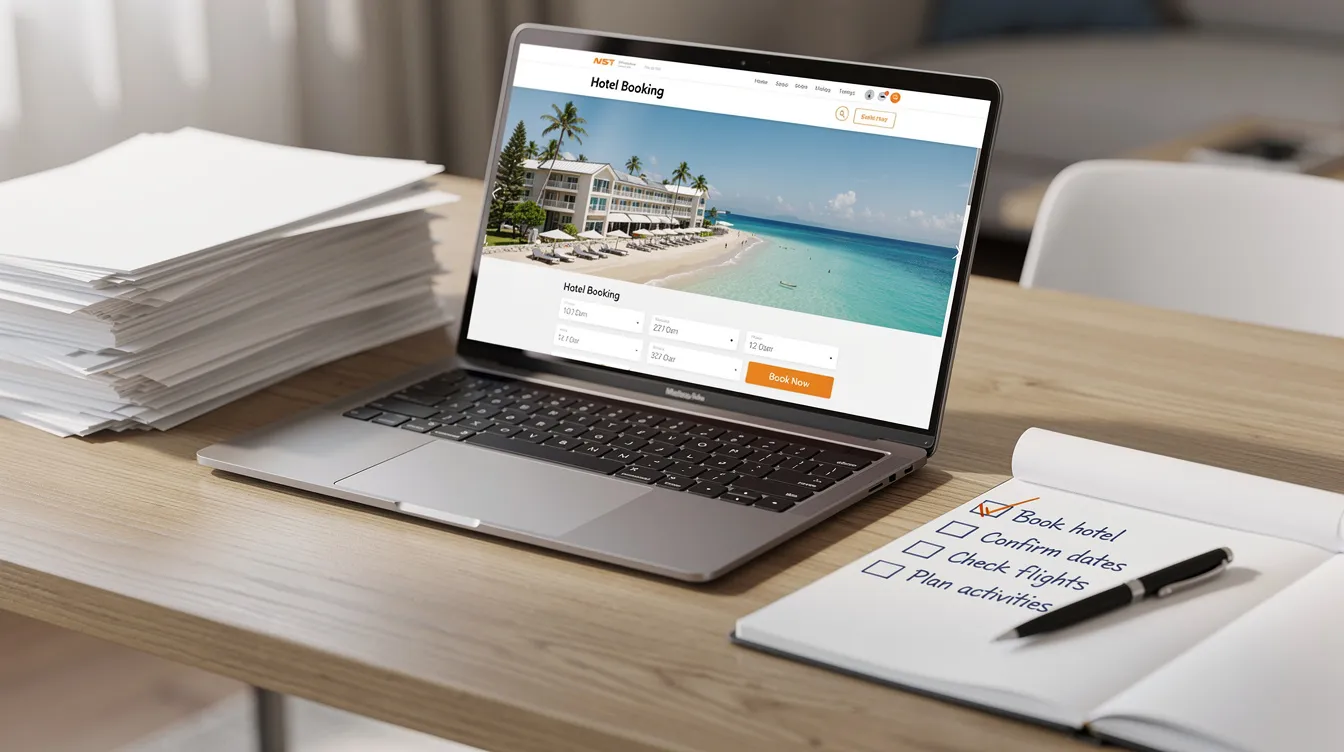
Step-by-Step: How to Add an AI Chatbot Widget to Your Hotel Website
The technical installation of a chatbot widget is usually the easiest part of the process. Here is a simple, non-technical sequence any hotel operator can follow.
Checklist: How to Add an AI Chatbot to Your Hotel Website
- Choose a hotel chatbot provider. Look for a solution that understands hotel-specific questions, supports multilingual conversations, and offers an onboarding process suited to your team’s resources.
- Provide your hotel website details. Depending on the provider, you may need to supply website URLs, upload hotel information, or simply share your website address. Providers offering assisted onboarding, such as Lobbychat, can prepare the initial chatbot using your existing website content.
- Review and test your chatbot. Ask common guest questions about rooms, facilities, policies, and booking options to ensure responses are accurate and relevant.
- Install the chatbot on your website. Most providers offer a small code snippet or a WordPress plugin. Your website administrator or agency can usually complete this step without extensive technical work.
- Go live and monitor conversations. Once everything works correctly, activate the chatbot and periodically review guest interactions to identify opportunities for improvement.
The standard JavaScript snippet method works like this: you receive a small block of code to paste before the closing </body> tag in your site template, or add it via a tag manager like Google Tag Manager. This is the same type of snippet used for analytics or live chat tools – nothing unusual.
Most hotels ask their web developer or agency to handle the chat widget snippet. The code change itself usually takes less than 15 minutes once access is available. Using HTTPS enhances the security of chatbot interactions, so ensure your site runs on a secure connection (most modern sites already do).
You do not need programming skills. You only need to forward the provided code and simple placement instructions to whoever manages your site.
Installing a Hotel Chatbot on WordPress (Including Lobbychat Plugin)
WordPress is the most common platform for independent hotel websites, and hotel chatbot installation there is typically done via plugin – no code editing required.
Generic WordPress hotel chatbot setup flow:
- Log in as an admin.
- Navigate to Plugins > Add New.
- Search for your chosen chatbot plugin.
- Click Install and then Activate.
For Lobbychat specifically: search for the “AI Hotel Chatbot by Lobbychat” plugin. It is designed specifically for hotels. After activation, enter the Lobbychat property ID or token provided during onboarding to connect the plugin to your configured bot.
Once activated, the floating guest facing chatbot bubble appears in the bottom corner of every page across the entire website – desktop and mobile. Brand colors and position can usually be customized within the plugin settings.
Test the widget on a staging site or during a low-traffic window first. Check that it does not overlap with cookie banners, booking engine popups, or important navigation elements on both desktop and mobile views.
Configuring Your Hotel Chatbot: Persona, Scope, and Booking Engine Links
Configuration is where hotels decide what the AI agent should and should not do, and how it should talk to guests. This step is practical and non-technical.
Define the chatbot’s personality. Choose a friendly, concise, hotel-specific tone that matches your property positioning – relaxed for a seaside boutique, more formal for a five-star business hotel. Chatbots should maintain a consistent brand voice and style. The best hotel chatbot feels like an extension of your team, not a generic tool built for a real estate agency or online stores.
Set the scope. Start focused:
- Pre-stay: rooms, amenities, parking, pets, booking questions
- In-stay: Wi-Fi, breakfast, spa hours, room service
- Post-stay: receipts, forgotten items
Do not promise full concierge capabilities from day one.
Connect to your booking engine. Use simple deep links with pre-filled dates and occupancy where possible, sending guests to the correct booking page after answering their questions. While AI chatbots can handle the entire booking process seamlessly from Q&A to handoff, the actual reservation and payment happen in your existing booking engine – the chatbot supports the direct booking process without processing payments itself.
Set escalation rules. Configure the chatbot to hand off to a human agent when guests ask about refunds, special group rates, complex event packages, or complaints. The bot should collect contact details and summarize the conversation so the front desk team can follow up with full context.
Testing Your Hotel Website Chatbot Before Going Live
Before making the chatbot live for all visitors, involve your front desk, reservations, and marketing teams in testing. Each team should spend 30–60 minutes running through typical flows. Testing chatbots internally before launch improves performance significantly.
Test by scenario:
- Booking intent: “Do you have a double room available for 12–15 October for two adults and one child?” Test room availability questions with a specific date range.
- Policies: “What is your cancellation policy for a flexible rate in July?”
- Logistics: “Is parking available, and what does it cost per night?”
- Event inquiries: “Can you host a meeting for 40 people in March 2025?” or “How do I request a quote for a wedding reception?” Confirm the bot collects key details and routes to the correct human contact.
- Multilingual: Ask the same questions in languages relevant to your market (German, French, Spanish, Greek) and verify the hotel chatbot responds correctly in multiple languages.
Not sure which questions to test? Our article on 10 Hotel Chatbot Examples: Common Guest Questions and AI Responses provides practical conversation examples covering common guest enquiries, booking questions, hotel facilities, and special requests.
Capture a shortlist of 10–20 answers that need refinement and feed those corrections back to the vendor or update website content accordingly. Lobbychat’s team can assist with these early adjustments as part of its assisted onboarding. Performance metrics are critical for assessing chatbot effectiveness, so track how well answers align with expected outcomes.
Maintaining Chatbot Accuracy: Ongoing Content and Quality Checks
Hotel information changes frequently – seasonal rates, restaurant hours, spa menus, local partners. If the chatbot references stale content, guests notice. Ongoing monitoring and updates are necessary for chatbot effectiveness.
Suggested maintenance rhythm:
| Frequency | What to Review |
|---|---|
| Monthly | Check in time, breakfast hours, parking prices, pet fees, contact details |
| Quarterly | Seasonal offers, spa and restaurant menus, local recommendations, event packages |
| As needed | New room types, rebranded outlets, updated cancellation policy |
Review a sample of real transcripts each month. Focus on unanswered questions, long conversations that ended without resolution, and any guest complaints mentioning the chatbot.
When the website is updated – new room type, changed policy, rebranded restaurant – notify the chatbot vendor or trigger a re-crawl of updated pages so hotel chatbots work with the latest information.
Lobbychat’s hotel-focused approach means its team can help adjust the knowledge base and configuration over time, rather than expecting the hotel to manually retrain the AI agent from scratch after every minor change.
Practical Use Cases: Where a Hotel Website Chatbot Delivers the Most Value
Here are the scenarios where a hotel website chatbot consistently delivers measurable impact on hotel operations and hotel management.
Pre-booking support. This is where chatbots shine brightest. They answer room and rate questions, provide instant answers about promotions, and direct guests to book direct via the booking engine. AI chatbots can help increase direct bookings, and hotels using AI chatbots see more direct bookings within weeks of deployment. Chatbots can reduce reliance on costly OTAs by offering direct booking incentives at the right moment, cutting through pre purchase hesitation.
In-stay communication. Handling questions about Wi-Fi, breakfast, late check-out, spa bookings, room service, pool hours, and local recommendations – acting as a true digital concierge. The chatbot provides local tips and prompts guests to contact the front desk for urgent issues.
Event inquiries. Collecting basic details for meetings, conferences, and weddings – dates, headcount, room setup, catering preferences – and routing them to the sales or events team with all context included.
Operational insights. Chatbot logs reveal recurring friction points – confusing parking information, unclear family room capacity – which inform website improvements and staff training across hotel operations.
When an AI Chatbot Should Hand Off to a Human Agent
The best hotel chatbots are clear about their limits. Human handoff capabilities are essential for addressing complex inquiries, and knowing when to escalate protects customer satisfaction and guest trust. The human touch remains irreplaceable for situations requiring empathy or judgment.
Always hand off to a human agent or front desk team:
- Complaints about room cleanliness, noise, or safety
- Refund and charge disputes
- Overbooking situations and compensation requests
- Special requests that require immediate action
Avoid making commitments on:
- Negotiations over group bookings or corporate rate contracts
- Complex event packages requiring custom pricing
- Legal or insurance-related questions
The bot can collect information but must clearly state that a team member will follow up.
How escalation works in practice: the chatbot confirms contact details, summarizes the conversation history, and sends it to a designated inbox so hotel staff can respond with full context – no back-and-forth repetition.
Make the “Talk to a person” option highly visible inside the chat window, so guests do not feel trapped in AI-only conversations. This is especially important for older travelers and corporate bookers who expect direct access to the front desk.
How Lobbychat Fits Into Your Hotel Chatbot Strategy
Lobbychat is a hotel-specific generative AI hotel chatbot designed to sit on your existing hotel website and support guest communication across languages, without replacing your booking engine or property management systems.
Key features: Lobbychat understands natural-language guest questions and conversational context, uses your website content as its knowledge base, supports multilingual conversations in 120+ languages, and operates 24/7 as a digital front desk assistant for guest messaging across the guest journey.
On direct bookings: Lobbychat does not process reservations or payments directly. It guides guests to your existing booking engine with relevant links, helping increase direct bookings by reducing friction and abandoned searches.
Installation options: hotels can add Lobbychat using a lightweight embed code snippet on any website or via the dedicated WordPress plugin “AI Hotel Chatbot by Lobbychat.” Neither method requires programming expertise from hotel staff.
Assisted onboarding and trial: the Lobbychat team configures the chatbot using the hotel’s current website content, supports early testing and refinement, and offers a six-month free plan so hotels can evaluate impact on guest communication and customer satisfaction before committing.
FAQs: Implementing an AI Chatbot on a Hotel Website
Do I need a developer to add an AI chatbot to my hotel website?
Most hotels do not need an in-house developer. For custom-built sites, adding a JavaScript snippet is a simple task for your existing web agency – it takes about 15 minutes. For WordPress sites, installing a plugin like “AI Hotel Chatbot by Lobbychat” can be done by anyone familiar with the WordPress admin panel. The chatbot vendor handles the AI configuration, so hotel staff focus on reviewing content, not writing code. Unlike generic chatbots built for online stores or a real estate agency, hotel-specific solutions come pre-configured for hospitality use cases.
Will a hotel website chatbot slow down my pages or affect SEO?
Modern chatbot widgets are loaded asynchronously – after the main content renders – so impact on page speed and Core Web Vitals is minimal. The chat widget content is conversational and not indexed by search engines, so it does not compete with your existing pages. Ask your vendor for performance details and, if needed, defer the script until user interaction.
How does an AI hotel chatbot handle multiple languages?
Current generative AI models detect the guest’s language automatically and respond accordingly. Guests receive immediate responses in their preferred language without selecting from a dropdown. However, hotels should still review key policy answers – cancellation terms, rate conditions, deposit rules – in their main market languages to ensure accuracy and appropriate tone, especially for legal or financial details.
Can the chatbot manage bookings and payments by itself?
A responsible hotel chatbot does not take payments or manage PMS inventory directly. Instead, it answers questions about room availability, amenities, and policies, then passes guests to the existing booking engine or staff for the actual reservation and payment steps. This approach keeps the direct booking process secure and accurate while reducing the number of guests who abandon the site due to unanswered booking questions.
What happens if the chatbot gives a wrong answer?
Hotels can reduce this risk by keeping website content accurate, starting with a focused scope, and reviewing transcripts regularly. When guests ask something the bot cannot confidently answer, it should acknowledge the limit and offer to connect the guest with hotel staff. If an error appears in logs, update the source content or configuration. With solutions like Lobbychat, you can ask the vendor team to help adjust the AI agent’s behavior – you do not need to retrain the system yourself.